

Play Game


Player Controls
Basic Movement
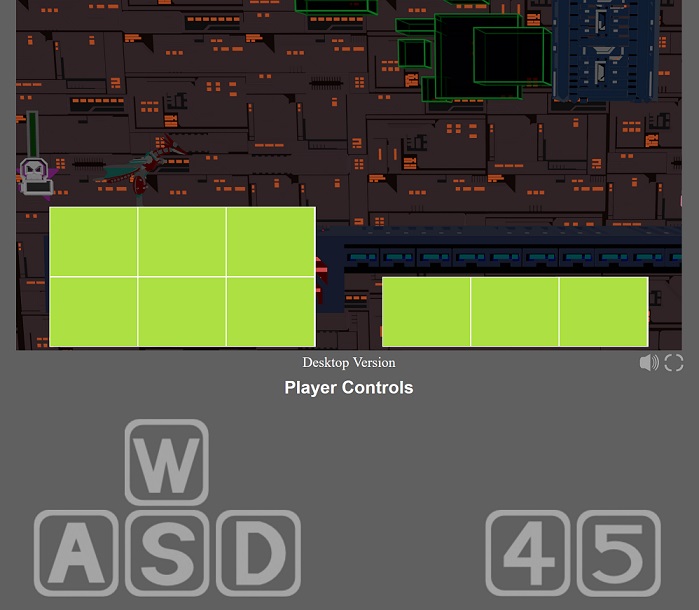
Key W - move up, Key S - move down, Key A - move left, Key D - move right
Advanced Movement
Key A double tap - Turn left while facing right/Dash left if facing left
Key D double tap - Turn right while facing left/Dash right if facing right
Basic Attacks
Numpad Key 5 / Key L - kick; double tap for double kick
Numpad Key 4 / Key K - fireball
Touch Screen Controls
The green below indicates touchscreen controls' screen placement, mirroring the keyboard
controls layout. For best user experience, it's highly recommended to use fullscreen controls
during vertical fullscreen mode:
Key W - move up, Key S - move down, Key A - move left, Key D - move right
Advanced Movement
Key A double tap - Turn left while facing right/Dash left if facing left
Key D double tap - Turn right while facing left/Dash right if facing right
Basic Attacks
Numpad Key 5 / Key L - kick; double tap for double kick
Numpad Key 4 / Key K - fireball
Touch Screen Controls
The green below indicates touchscreen controls' screen placement, mirroring the keyboard
controls layout. For best user experience, it's highly recommended to use fullscreen controls
during vertical fullscreen mode: